Gap and go
A gap at the open of 2% or more either way, on volume of at least 1.5 times usual.
Scanner
Tomorrow’s names and this morning’s, your own beside what the scans found. Then a live scan you sort and filter, and screens saved to run on a clock.
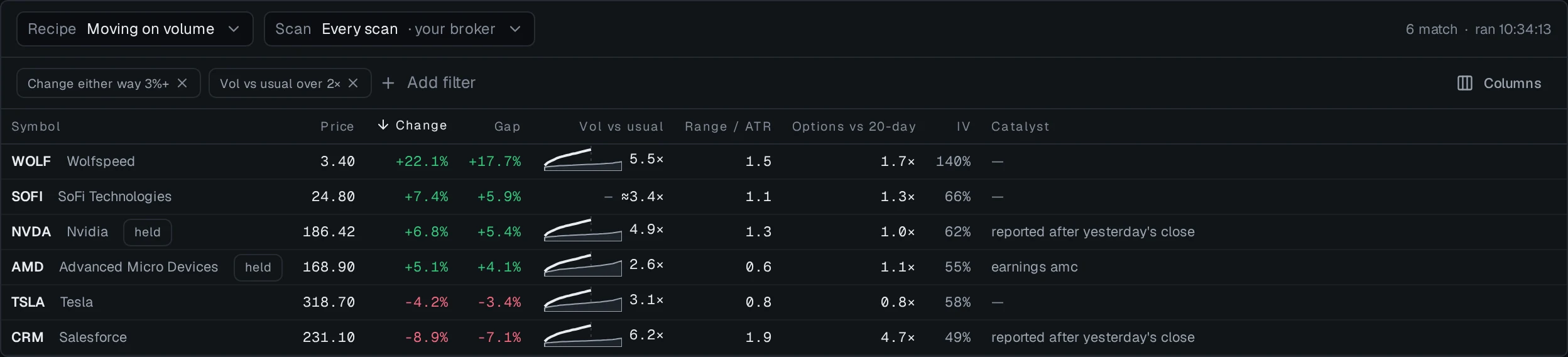
Pick a recipe or a screen of your own, and what to scan. The rules read as chips, each with its number, and the page runs again while it’s open. Point at a part to see what it is.
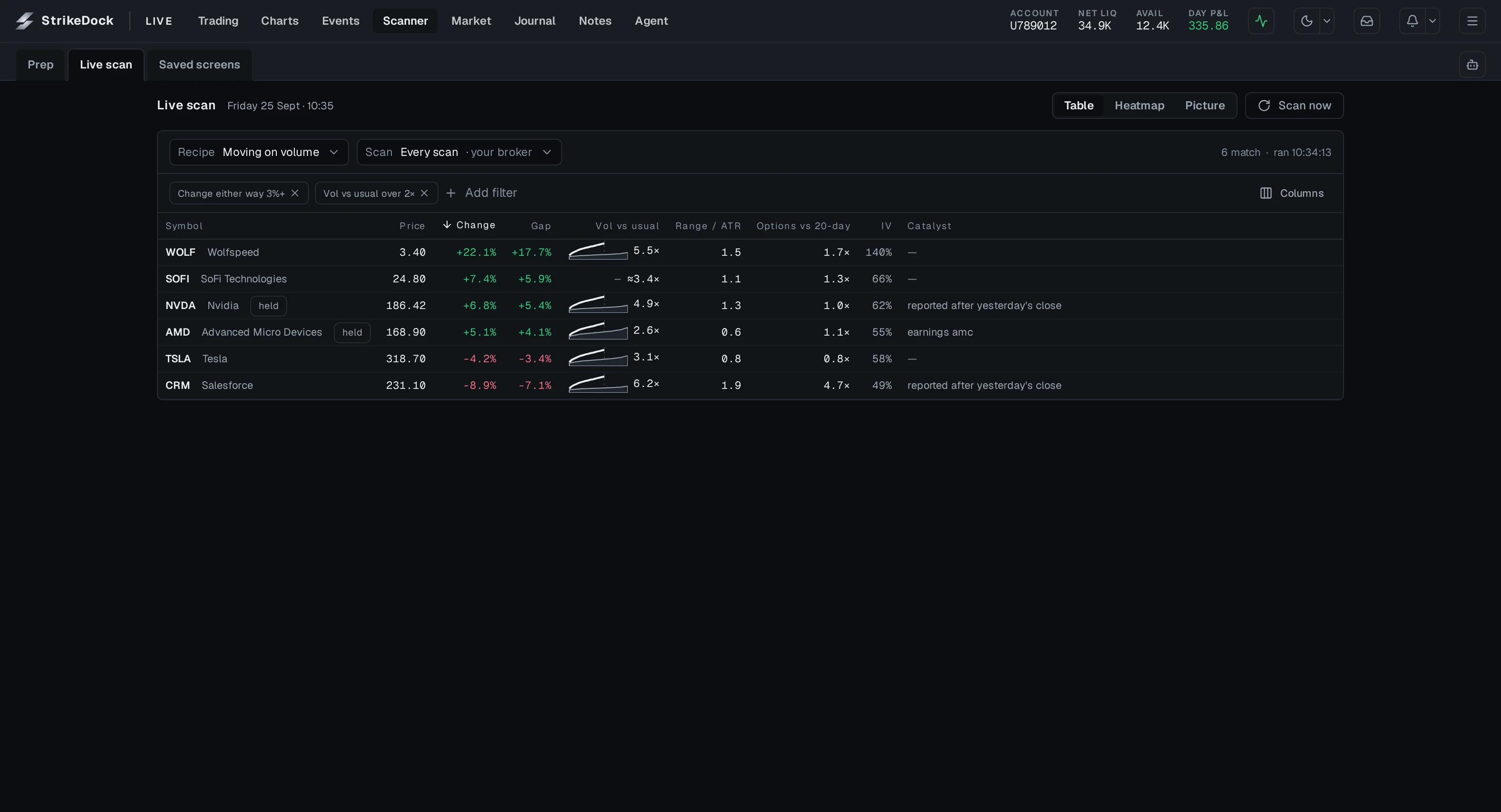
While your session runs, StrikeDock builds the evening list after the close and the morning list before the open: held, on your watchlists, and not on your lists, each with its levels, the move the options price and its catalyst.
Last night or this morning: switch the list’s basis between after hours and the pre-market.
Kept on disk: the list is there to read before your broker is up.
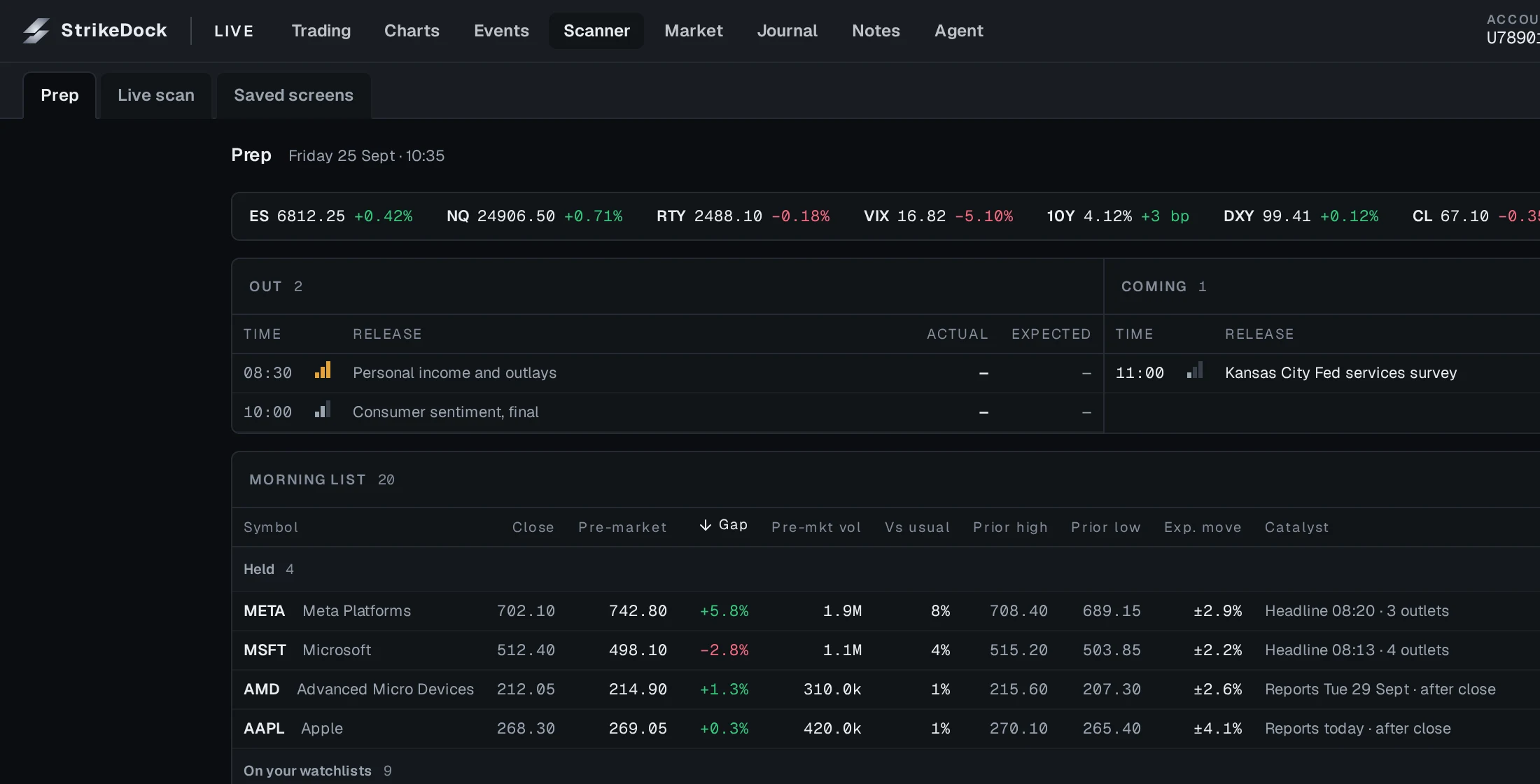
The same matches, read three ways. A missing figure is a dash, never a zero, and a name without a figure for a rule doesn’t match.
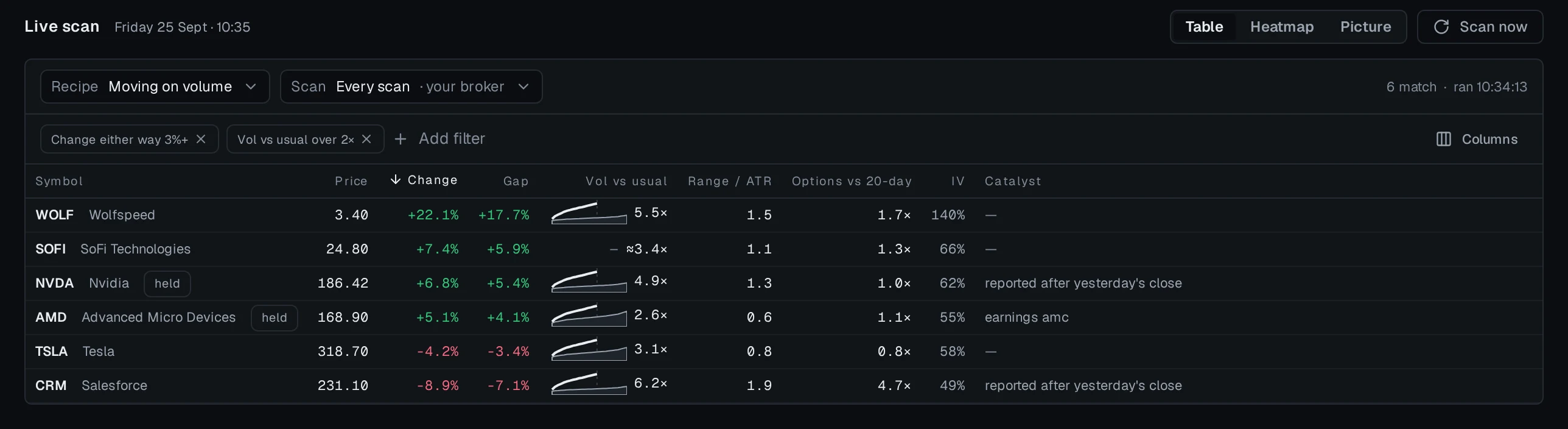
Press Table, Heatmap or Picture in the app.
Sort by any column; nothing is ranked for you.
Each name a tile sized by today’s traded value, coloured by its change.
Change across, volume against usual up. Drag a box to filter to it.
Start from a recipe; every rule is a number you can read, and every one is yours to change once applied.
Gap and go
A gap at the open of 2% or more either way, on volume of at least 1.5 times usual.
Moving on volume
A change of 3% or more either way, on at least twice the usual volume.
Unusual options
Option volume at least three times its usual.
52-week breakout
Within half a percent of the 52-week high or above it, on at least usual volume.
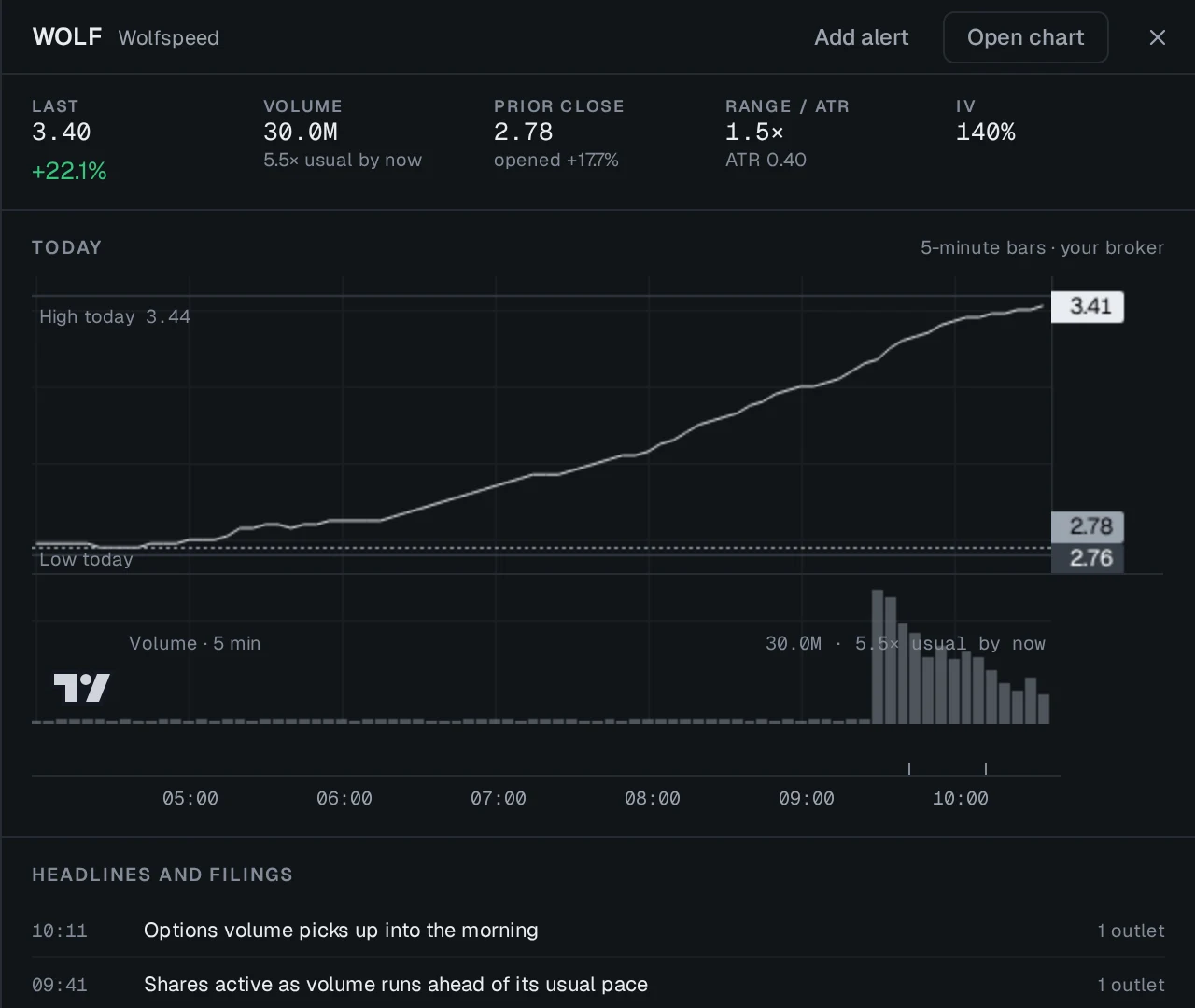
Open a name to see its day with its levels and the marks where a headline or filing broke, its last report against the estimate, and the moves after its last eight reports.
From there: add an alert, or open its chart.
Nothing here places an order.
Save a screen and run it on New York weekdays: every so many minutes between two times, once, or when you run it.

Its rules, as you set them.
At least fifteen minutes between runs, while StrikeDock runs.
A name that joined since the last run rings, with its own sentence.
In development: these sources, and what each allows, may change before launch.
The live scan needs your broker connection and never opens a trading session.
A run quotes in batches and shares your broker’s history budget with your charts, so a long list fills in over several runs.
Filings come from SEC EDGAR; where headlines and earnings come from is being settled before launch.